
Baccarat
Live baccarat and Asian table-game picks with speed rounds, side-bet formats, and premium studios.
 Live
Hot table
Live
Hot table Live
Popular
Live
Popular Live
Top pick
Live
Top pick Live
HD stream
Live
HD stream Live
Popular
Live
Popular Live
Top pick
Live
Top pickGame Shows
High-energy live casino shows with wheel rounds, bonus stages, and fast presenter-led action.
 Live
Popular
Live
Popular Live
HD stream
Live
HD stream Live
Popular
Live
Popular Live
HD stream
Live
HD stream Live
Hot table
Live
Hot table Live
HD stream
Live
HD streamBlackjack
Presenter-led blackjack rooms and lobby formats for players who want familiar card action quickly.
 Live
Hot table
Live
Hot table Live
Top pick
Live
Top pick Live
HD stream
Live
HD stream Live
Popular
Live
Popular Live
HD stream
Live
HD stream Live
Hot table
Live
Hot tableRoulette
Live roulette tables with premium studios, auto wheels, and fast-paced variants for every session style.
 Live
HD stream
Live
HD stream Live
Top pick
Live
Top pick Live
Popular
Live
Popular Live
Hot table
Live
Hot table Live
HD stream
Live
HD stream Live
Fast entry
Live
Fast entryPoker
Live poker-style casino tables built around Holdem formats, dealer interaction, and quick table access.
 Live
Top pick
Live
Top pick Live
Hot table
Live
Hot table Live
HD stream
Live
HD stream Live
Popular
Live
Popular Live
Fast entry
Live
Fast entry Live
Popular
Live
Popular
- How to Play at FunClub Live Casino
- Find and Open a Live Dealer Table
- Place Your First Live Casino Bet
- Choose the Right FunClub Live Casino Game
- Live Blackjack
- Live Roulette and Baccarat
- Three Card Poker and Live Game Shows
- Check the Table Before You Join
- Live Dealer Games vs RNG Table Games
- Play FunClub Live Casino on Mobile
- Improve Live Streaming Performance
- Using Bonuses on Live Casino Games
- What to Do If a Live Game Disconnects
- Check the Round Before Betting Again
- Fix Repeated Loading and Session Errors
- Manage Faster Live Casino Sessions
- FunClub Live Casino Questions
- Do I Need to Download Software to Play?
- Can I Play FunClub Live Casino on a Phone?
- Which Providers Supply FunClub Live Dealer Games?
- Where Can I Find the Minimum Bet?
- Can I Watch a Table Before Betting?
- Do Live Casino Wagers Count Towards a Bonus?
- What Happens If My Connection Drops After I Bet?
- What Is the Difference Between Live Blackjack and RNG Blackjack?
How to Play at FunClub Live Casino
FunClub Live Casino gives Canadian players access to dealer-hosted blackjack, roulette, baccarat, poker-style games and interactive game shows. Each round is streamed to your device, while the betting controls appear directly on the screen. You can select a wager, follow the dealer and view the result without leaving the game interface.
To start playing:
- Register for a FunClub account or sign in to an existing account.
- Add funds through the cashier if you plan to play for real money.
- Open the live casino section from the game lobby.
- Filter the available tables by game type or provider.
- Check the stake range, rules and betting countdown.
- Enter the table and select your wager before betting closes.
- Wait for the round to be completed and the result to appear in your balance and game history.
Do not rush into the first available table. Two versions of the same game may have different stake limits, side bets, rules or pacing. Reviewing the information panel before wagering is the simplest way to avoid joining a table that does not suit your budget or experience.
Find and Open a Live Dealer Table
The FunClub casino lobby includes live content from Evolution, Playtech Live and Ezugi. Use the provider filter if you already prefer a particular studio, or select a game category to compare several versions of blackjack, roulette or baccarat.
A table card may show its provider, game name, current stake range and availability. Once inside, open the information or rules panel before placing a bet. This is especially important for blackjack variants and games with optional side bets because their rules and payouts may differ.
Place Your First Live Casino Bet
A live round follows a fixed schedule. When the betting window opens, choose an available betting position and enter your stake through the on-screen controls. Confirm the wager before the countdown finishes. Bets attempted after betting closes will not enter the current round.
The dealer then completes the hand, spin or draw on camera. Settled winnings are added to the account balance automatically. If you are learning a new game, observe one or two rounds first. This helps you understand the pace and locate the controls without making a hurried decision.
Choose the Right FunClub Live Casino Game
The best starting point depends on how much control you want during a round. Blackjack involves repeated decisions, while baccarat and roulette focus primarily on choosing a wager before play begins. Live game shows use wheels, multipliers and bonus features for a more visually driven format.
| Game type | Main player task | Typical pace | Suitable for |
|---|---|---|---|
| Live blackjack | Decide whether to hit, stand or use another available action | Decision-based | Players who want to influence how each hand is played |
| Live roulette | Choose a number, group of numbers, colour or another displayed betting area | Moderate | Players who prefer clearly displayed wager options |
| Live baccarat | Bet on Player, Banker or Tie and watch the hands resolve | Straightforward | New players and users who want fewer decisions |
| Three Card Poker | Choose the available poker wagers and compare hands | Moderate | Players who understand basic poker hand rankings |
| Live game shows | Select outcomes, segments or bonus features | Varied | Players who prefer interactive presentation and multiplier mechanics |
Live Blackjack
Live blackjack suits players who want to make decisions after the initial wager. The objective is to finish closer to 21 than the dealer without exceeding it. Depending on the table and hand, the interface may offer actions such as hit, stand, double or split.
Decisions must be submitted before the timer expires. If you are unfamiliar with a variant, check its rules before joining because dealer procedures, available actions and side bets can differ. An RNG blackjack table can also be useful for learning the interface at your own pace before moving to a scheduled live game.
Live Roulette and Baccarat
Roulette is built around the betting layout. You can place chips on individual numbers or broader outcomes shown on the table, then watch the dealer spin the wheel. FunClub’s live selection includes Lightning Roulette, which adds multiplier-based features to the familiar roulette format. Its additional mechanics make the in-game paytable particularly important.
Baccarat requires fewer in-round decisions. You choose Player, Banker or Tie before the cards are dealt, and the drawing rules are handled automatically. That makes baccarat accessible to players who want a live table experience without having to decide whether to draw another card.
Three Card Poker and Live Game Shows
Three Card Poker combines familiar card rankings with a compact three-card format. Review the available wagers and paytable before playing because the main bet and optional side bets are settled differently.
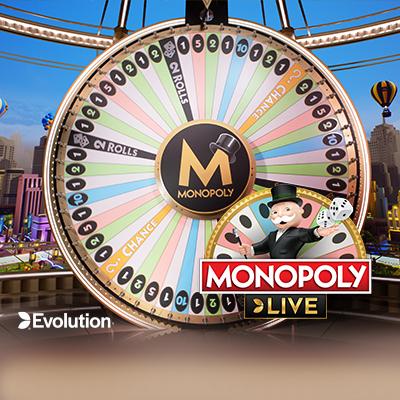
FunClub also features Evolution game shows such as Crazy Time and Monopoly Live. These games use live presenters, wheels and bonus features rather than the structure of a conventional card table. Their interfaces display several betting positions, so check what each position represents before confirming a stake.
Check the Table Before You Join
A live casino lobby is not simply a list of game names. Each table is a separate playing environment with its own limits, rules and pace. A quick inspection can prevent most avoidable mistakes.
Check the following before entering:
- The minimum and maximum stake
- The provider and game variant
- The main rules and available player actions
- Side bets and their separate paytables
- The betting countdown
- Seat availability where seats are required
- Whether the displayed table language suits you
- Whether your current balance is cash, bonus funds or a combination
Stake limits are displayed through the current table card or game interface and may vary between tables. Choose a minimum that leaves room for several rounds within your planned budget rather than committing too much to one result.
Live Dealer Games vs RNG Table Games
FunClub offers both live dealer games and software-based table games. They may share the same basic rules, but the playing experience is different.
| Feature | Live dealer game | RNG table game |
|---|---|---|
| Game operation | Conducted by a dealer through a video stream | Completed by game software |
| Round timing | Follows the table’s betting and decision windows | Usually controlled by the player |
| Interaction | May include a dealer chat feature | No live dealer interaction |
| Pace | Determined by the table and other required actions | Usually adjustable through individual play |
| Best use | Real-time casino atmosphere | Learning controls or playing at an individual pace |
Choose an RNG version when you want more time to read the rules or consider each decision. Choose a live table when you are comfortable with the game and want the structure of real-time dealer-hosted rounds.
Play FunClub Live Casino on Mobile
FunClub Live Casino is accessible through a mobile browser, so a separate download is not required for browser play. Sign in from a current browser, open the live casino lobby and select a table just as you would on a desktop device. The game interface adapts its video and betting controls to the smaller screen.
A stable connection matters more for live games than for static account pages because the dealer feed must continue throughout the round. Wi-Fi can provide a steadier experience, but a reliable mobile-data connection can also support play. Avoid switching networks after submitting a bet because even a brief interruption can break the visible stream while the round continues on the game system.
For more reliable mobile play:
- Close other apps or browser tabs that are streaming media.
- Keep the browser updated.
- Turn off battery-saving settings if they restrict browser performance.
- Use full-screen or landscape mode when the betting layout feels crowded.
- Avoid refreshing after every short video delay.
- Check account history before repeating a wager after a disconnection.
Improve Live Streaming Performance
If the dealer video begins to lag, first determine whether the betting controls are still responding. Video delay and a completely disconnected session are not always the same problem. Do not place extra wagers simply because the stream appears frozen.
Start by checking the connection and closing background downloads or video streams. If the table does not recover, leave it safely and reopen the same game. Persistent loading problems may be resolved by clearing site-specific cache and cookies or temporarily disabling extensions that block scripts.
A private browser window can help identify whether saved site data or an extension is causing the issue. If the game works there but not in the regular window, review the browser’s cookie and privacy settings before returning to normal play.
Using Bonuses on Live Casino Games
A casino bonus does not automatically apply to every game in the same way. At FunClub, contribution towards wagering requirements can differ by game category and promotion. Live blackjack, roulette, baccarat and game shows may therefore contribute differently from slots or may be subject to separate conditions.
Before using bonus funds at a live table, check:
- Whether live casino games are eligible
- The contribution rate for the selected category
- Any maximum stake applied while a bonus is active
- Whether particular tables or side bets are excluded
- Which balance will be used for the wager
- What must be completed before bonus-related winnings can be withdrawn
These conditions should be reviewed in the active promotion rather than assumed from another offer. If a game contributes only partially, a CA$10 wager will not necessarily reduce the remaining wagering requirement by CA$10. Checking first makes it easier to choose between using bonus funds and playing from the cash balance.
What to Do If a Live Game Disconnects
A lost connection does not necessarily cancel an accepted wager. The round may continue on the provider’s system even when you can no longer see the dealer feed. Repeating the same wager immediately can therefore create an unintended second bet.
If the connection drops:
- Do not submit another wager straight away.
- Reconnect and reopen the same live table.
- Check whether the round result appears in the game interface.
- Review your game or transaction history.
- Compare the accepted stake and resulting balance.
- Contact FunClub customer support if the result or balance remains inconsistent.
FunClub handles interrupted rounds using the recorded game and transaction data. Depending on the point of interruption and the game record, an affected wager may be settled normally, voided or returned to the appropriate balance.
Check the Round Before Betting Again
Focus on whether the wager was accepted, not whether you saw the full video. An accepted wager should have a record in the account or game history. Note the game name, approximate session time and stake if you need help reviewing the transaction.
Screenshots of an error message or unusual balance can also make the issue easier to explain. Do not continue placing bets on the affected table until you understand what happened to the interrupted round.
Fix Repeated Loading and Session Errors
If the lobby repeatedly reloads, remains blank or returns you to the sign-in screen, use this sequence:
- Confirm that your connection is stable.
- Reload the casino lobby once.
- Sign out and sign back in.
- Clear cookies and cached data for the FunClub website.
- Temporarily disable ad-blocking or privacy extensions.
- Test the site in a private browser window.
- Try another current browser or device.
- Contact customer support if the same error continues.
Avoid deleting all browser data unless necessary. Clearing data only for the FunClub website preserves unrelated saved sessions and preferences.
Manage Faster Live Casino Sessions
Live tables can move quickly because each round follows a fixed betting schedule. Decide on a session budget and preferred stake before entering the lobby. A practical stake is one that allows for a sequence of rounds without requiring you to increase bets after a loss.
FunClub provides account controls for managing deposits, losses, wagers and session length. These tools can be used alongside account history to keep track of both spending and time.
Useful controls include:
- Deposit limits: Restrict how much can be added to the account during a selected period.
- Loss limits: Cap losses over the chosen timeframe.
- Wagering limits: Restrict the total amount placed in bets.
- Session reminders: Notify you after a selected period of play.
- Account history: Show deposits, withdrawals and gameplay activity.
Set limits before entering a live table, when decisions are less likely to be influenced by recent results. Do not increase stakes to recover a previous loss. A new round is independent of the one before it, and a faster or larger wager does not improve the underlying chance of winning.
FunClub Live Casino Questions
Do I Need to Download Software to Play?
No separate download is required for browser-based play. Sign in through a current desktop or mobile browser, open the live casino lobby and choose an available table.
Can I Play FunClub Live Casino on a Phone?
Yes. FunClub Live Casino works through a mobile browser on phones and tablets. Use a stable connection and keep the betting controls visible before confirming a wager.
Which Providers Supply FunClub Live Dealer Games?
The live casino catalogue includes content from Evolution, Playtech Live and Ezugi. Evolution supplies live tables and game shows such as Lightning Roulette, Crazy Time and Monopoly Live, while Playtech Live provides another selection of classic dealer-hosted games.
Where Can I Find the Minimum Bet?
Open the table card or in-game information panel before wagering. The minimum and maximum stakes depend on the selected table and can change between versions of the same game.
Can I Watch a Table Before Betting?
You can enter an available table and review its interface before submitting a wager. Observing a round is a useful way to understand the betting window, dealer procedure and on-screen controls.
Do Live Casino Wagers Count Towards a Bonus?
Contribution depends on the active promotion and game category. Check the offer’s eligibility, contribution rules and stake restrictions before using bonus funds at a live table.
What Happens If My Connection Drops After I Bet?
Reconnect and review the game or transaction history before wagering again. If the bet was accepted, the round may have continued even though the stream disappeared. Contact customer support if the recorded result and account balance do not match.
What Is the Difference Between Live Blackjack and RNG Blackjack?
Live blackjack is conducted by a streamed dealer and uses timed decisions. RNG blackjack is software-based and normally lets you play at an individual pace. The core objective remains reaching a stronger total than the dealer without exceeding 21.

Bonuses October 2026
